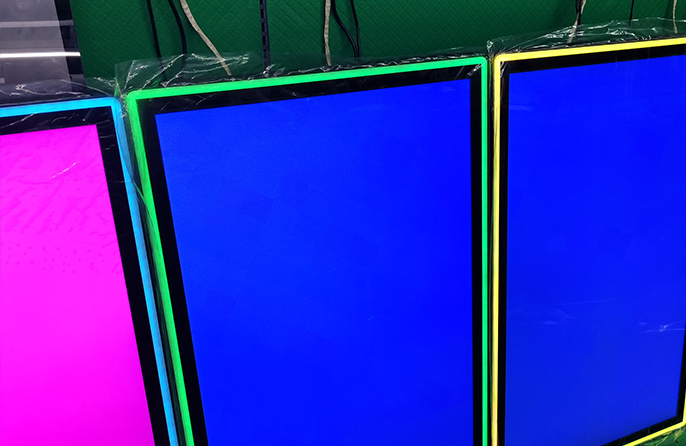

In today's digital age, touch interaction has become an indispensable part of our daily and work lives. From smartphones and tablets to industrial control panels and self-service kiosks, touch monitors are everywhere. Among the various touch technologies, PCAP touch monitors stand out with their excellent performance and wide applicability, becoming the preferred choice for many high-end and professional scenarios. But what exactly is a PCAP touch monitor? How does it work? What advantages does it have over other touch technologies? This article will answer these questions in detail and help you fully understand this mainstream touch solution.
PCAP stands for Projected Capacitive, so a PCAP touch monitor is a type of display device that adopts projected capacitive touch technology. It integrates a PCAP touch sensor with a display screen, enabling users to interact with the device by touching the screen surface with a finger or a conductive stylus.
Different from traditional resistive touch monitors that require physical pressure to trigger, PCAP touch monitors rely on the detection of changes in electrostatic capacitance to recognize touch operations. The core component is a transparent conductive electrode grid (usually made of indium tin oxide, ITO) embedded in the glass substrate. When a conductive object (such as a human finger) approaches or touches the screen, it will disturb the electrostatic field generated by the electrode grid, and the built-in controller will calculate the exact position of the touch point by detecting the change in capacitance. This working principle makes PCAP touch monitors have higher sensitivity and accuracy.
The working principle of PCAP touch monitors can be broken down into four key steps, which are easy to understand even for non-technical readers:
The core of the PCAP touch sensor is two layers of transparent electrode arrays perpendicular to each other (X-axis drive lines and Y-axis sense lines), which are printed on the glass substrate. When the device is powered on, the controller sends electrical signals to the drive lines, generating a uniform and stable electrostatic field between the X and Y electrodes. This electric field is not limited to the surface of the electrode but is projected outward through the protective cover glass, forming an "invisible感应 net" above the screen surface.
The human body is a good conductor. When a finger approaches the screen, it will act as a "third electrode" to interact with the projected electrostatic field, causing a local change in capacitance at the corresponding position of the electrode grid. There are two main detection modes: mutual capacitance and self-capacitance. Mutual capacitance (the most commonly used mode) detects the capacitance change between the drive line and the sense line; self-capacitance measures the capacitance change between each electrode and the ground. Both modes can accurately capture touch signals.
The controller continuously scans the entire electrode grid, collects the capacitance change data of each intersection point, and uses complex algorithms to analyze and calculate the exact X and Y coordinates of the touch point. For multi-touch operations (such as pinching, zooming, and rotating), the system can simultaneously track multiple capacitance change points and identify the corresponding gestures.
Finally, the controller transmits the calculated touch position and gesture information to the device's main processor. The processor interprets the signal and executes the corresponding operation (such as opening an application, adjusting the image size, etc.), and the whole process is completed in milliseconds, bringing a smooth touch experience.
Compared with other touch technologies (such as resistive, infrared, and surface acoustic wave), PCAP touch monitors have obvious advantages, which are the key reasons for their widespread application:
PCAP touch monitors do not require physical pressure; a light touch of the finger can trigger a response. The response speed is fast (usually less than 5ms), and there is no lag when sliding and clicking. They perfectly support multi-touch gestures, which is consistent with the operation habits of smartphones and tablets, reducing user learning costs.
The ITO electrode grid of PCAP touch monitors is extremely thin and transparent, and the light transmittance can reach more than 90%. There is no obvious difference between the display effect and the traditional non-touch display screen, and there will be no problems such as color distortion and reduced brightness. Some high-end models are also equipped with anti-glare and anti-fingerprint coatings, further improving the visual experience in bright environments.
The surface of PCAP touch monitors is usually covered with chemically strengthened glass (such as Gorilla Glass), which has high scratch resistance and impact resistance. The sealed structure can effectively prevent dust, water splashes, and oil stains from entering the interior. Unlike resistive touch screens that are prone to wear and tear, PCAP touch monitors have a long service life (up to 50 million touches) and require almost no daily maintenance.
Industrial-grade PCAP touch monitors can work stably in extreme environments such as low temperature (-10℃ to -20℃) and high temperature (50℃ to 60℃). Some special models support gloved operation (thin gloves or even thick industrial gloves), which is suitable for special scenarios such as industrial workshops and medical operations. They also have strong anti-electromagnetic interference capabilities and can work normally in environments with complex electromagnetic fields (such as factories and vehicle cabs).
Due to their excellent performance, PCAP touch monitors are widely used in various fields, covering consumer electronics, industrial control, medical care, retail, and other industries:
In industrial control panels, human-machine interfaces (HMI), and equipment consoles, PCAP touch monitors are used to realize operations such as parameter setting, process monitoring, and fault alarm. They can adapt to harsh workshop environments (dust, oil stains, and strong electromagnetic interference) and support gloved operation, improving work efficiency.
In medical devices such as ultrasound machines, patient monitors, and self-service registration terminals, PCAP touch monitors are favored for their high cleanliness (easy to wipe and disinfect) and accurate operation. They can prevent cross-infection in medical environments and ensure the stability and reliability of operation.
In POS machines, self-service cash registers, and intelligent ordering systems, PCAP touch monitors enable fast checkout and ordering operations. The anti-fingerprint coating is convenient for daily cleaning, and the high sensitivity ensures that cashiers and customers can complete operations with one touch.
In interactive whiteboards, teaching tablets, and training terminals, PCAP touch monitors support multi-person collaborative operations (such as writing, annotating, and zooming at the same time), enlivening the classroom atmosphere and improving teaching efficiency. The excellent display effect ensures that students in all positions can clearly see the content on the screen.
In automotive central control screens, in-vehicle infotainment systems, and transportation self-service kiosks (such as subway ticket vending machines and airport check-in machines), PCAP touch monitors can adapt to the vibration and temperature changes of vehicles and have good stability. The smooth touch experience improves the driving experience and passenger service efficiency.
In shopping mall advertising screens, museum exhibition interactive screens, and scenic spot guide machines, PCAP touch monitors attract users to interact through multi-touch gestures, improving the effect of information dissemination. The high brightness and anti-glare design ensure that the content can be clearly displayed even in outdoor or bright indoor environments.
When purchasing a PCAP touch monitor, you need to choose according to your actual application scenarios and needs to avoid unnecessary costs. The key points to pay attention to are as follows:
For industrial scenes, prioritize industrial-grade products with wide temperature range, high protection level (IP65 or above), and glove operation support; for medical scenes, choose products that are easy to disinfect and meet medical device certification; for consumer scenes, focus on optical performance and touch experience.
Focus on parameters such as touch response speed, number of multi-touch points (standard 10 points, custom up to 50 points), and touch accuracy. For scenarios that require precise operation (such as medical diagnosis and industrial parameter setting), higher touch accuracy is required.
Check the product's waterproof, dustproof, and anti-collision performance (expressed by IP level). For outdoor or harsh environment applications, choose products with high protection level and wide temperature adaptation range. At the same time, pay attention to the anti-electromagnetic interference capability of the product.
Ensure that the touch monitor is compatible with the device's operating system (Windows, Linux, Android, etc.) and that the interface (HDMI, DP, USB, etc.) matches the host. For embedded installation scenarios, pay attention to the product's size, thickness, and VESA mounting hole position to ensure smooth integration.
As a mainstream touch display solution, PCAP touch monitors have become an important part of the digital interaction era with their high sensitivity, excellent optical performance, durability, and wide adaptability. Whether in industrial production, medical care, retail, education, or other fields, they are bringing more efficient and convenient interaction experiences to people.
When you understand what a PCAP touch monitor is and its core advantages and application scenarios, you can better choose products that meet your needs. With the continuous progress of technology, PCAP touch monitors will develop in the direction of larger size, higher sensitivity, and smarter integration, creating more possibilities for digital interaction.